GST billing software & billing app for small business
The Ray is simple billing software for Indian shops. Make GST invoices on your phone or computer, track udhaar and stock, send bills on WhatsApp and hand your CA ready GSTR-1 and GSTR-3B reports. It comes with screens made for 15 kinds of business.
See a GST bill made start to finish
Billing, udhaar, the customer khata and GSTR reports, explained in Hindi in 8 minutes.
A video for every business type: all training videos · YouTube channel
Everything a billing app should do
One app for sales, credit, stock, purchases and GST. Built for how shops in India actually work.
GST invoices
HSN, GST% and CGST/SGST or IGST worked out per item. Your GSTIN and logo on every bill.
Barcode & fast billing
Scan with the phone camera or a scanner, or tap tiles for top sellers.
Udhaar khata
Part payments go to the customer's khata. One-tap WhatsApp reminders.
Stock & purchases
Live stock, low-stock alerts, purchases with input GST and vendor dues.
GST reports
GSTR-1, GSTR-3B, purchase register and daily summary. Excel and PDF export.
Print & share
58 mm / 80 mm thermal, A4 or PDF. Send any bill on WhatsApp.
Offline billing
Keep billing without internet. Everything syncs later.
Hindi & Marathi
The whole app in English, हिंदी or मराठी.
Staff logins
Separate logins for staff with control over what they can see.
Branches
Run more than one shop from the same account.
Bulk import
Bring your items and customers in from Excel instead of typing them.
WhatsApp built in
Bills, reminders and statements go out on WhatsApp.
From your first bill to the GST return
How a shop starts on The Ray, step by step. You can do every step in the live demo first.
- Step 1
Set up your shop
Add your GSTIN, state and GST scheme once. Bring your items and customers in from Excel, or add them as you go.
- Step 2
Make the bill
Scan or search items, pick the customer and take payment — cash, UPI, card or part udhaar. GST is worked out per item.
- Step 3
Print or share
Print on a 58 mm or 80 mm thermal printer or A4, or send the bill on WhatsApp. Stock and the customer's khata update with it.
- Step 4
Hand over GST reports
At month end, GSTR-1, GSTR-3B and the purchase register are ready to export to Excel or PDF for your CA.
GST done right, without thinking about it
Set your shop's state, GSTIN and GST scheme once. Every item carries its HSN or SAC code and GST rate.
When you bill a customer in your own state, The Ray splits tax into CGST and SGST. When the customer is in another state, it charges IGST instead. You never pick the tax type by hand.
Purchases record the input GST you paid, so the output and input sides of GST are both covered. At month end, GSTR-1 and GSTR-3B are laid out the way the GST portal organises them, ready to export for your CA.
Need a quick number? Our free GST calculator adds GST to a price or takes it out of an inclusive one, with the CGST, SGST and IGST split.
Billing software made for your business
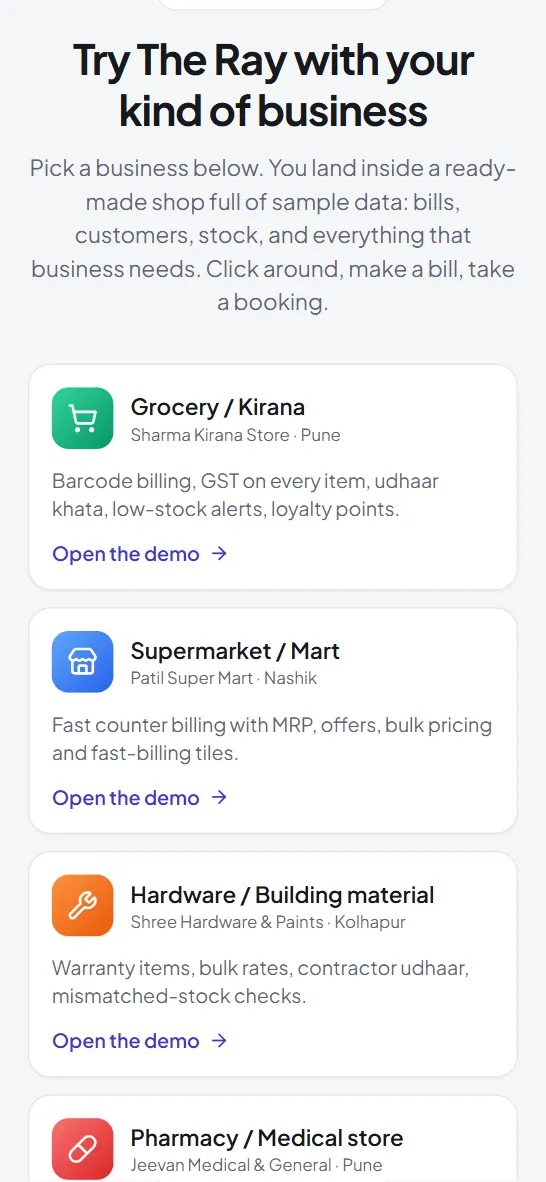
Each business type gets its own screens, and each one has a live demo you can open right now.
Wholesaler or distributor? See billing software for wholesalers & distributors with party rates, schemes and payment collection.
Paper khata vs Excel vs The Ray
| What you need | Paper khata | Excel | The Ray |
|---|---|---|---|
| GST worked out for you | |||
| Udhaar with WhatsApp reminders | |||
| Stock updates on every bill | |||
| GSTR-1 / GSTR-3B ready | |||
| Works on your phone | |||
| Print thermal bills | |||
| Safe if the phone is lost | |||
| Stops a bill for more than is in stock (your choice) | |||
| Send the bill on WhatsApp in one tap |
Billing software FAQ
What should I look for in billing software for a small business?
Look for correct GST calculation (CGST, SGST and IGST), easy udhaar tracking, stock that updates with every bill, GSTR-1 and GSTR-3B reports, thermal printing, WhatsApp sharing and a mobile app. It should also have screens made for your kind of business, such as tables for a restaurant or batches and expiry for a pharmacy.
Can I make GST invoices on my mobile phone?
Yes. The Ray is built phone-first. You can make a GST invoice, print it on a 58 mm or 80 mm thermal printer, or send it on WhatsApp straight from your phone.
Is there a free billing software I can try?
You can use every demo shop free with no sign-up, and the free plan lets you bill for 1 year with no card needed. The free plan allows 30 bills and 10 new customers a month. Paid plans start at ₹6,999 a year (₹699 a month) for unlimited bills.
Does The Ray support the GST composition scheme?
Yes. In your shop profile you choose Regular or Composition scheme, and your GSTIN and state, so bills and reports follow the right rules.
How do I move from paper or Excel to The Ray?
Add your GSTIN and state, then import items and customers from Excel with bulk import, or add them one by one. Most shops are billing on the first day. We can help you set up on WhatsApp.
Can my CA get the reports?
Yes. GSTR-1, GSTR-3B, the purchase register and daily summary can be exported to Excel or PDF and shared with your CA.
Does The Ray work for shops in Jharkhand?
Yes. Choose Jharkhand as your state and enter your GSTIN (it starts with 20). Sales to customers in Jharkhand get CGST and SGST, and sales to another state, such as Bihar or West Bengal, get IGST automatically. The whole app also works in Hindi.
Can stock go below zero?
No. Stock never goes below zero. By default The Ray stops a bill for more than you have in stock and tells you how much is left; you can switch that off in Settings if you prefer to bill first and correct stock later, and stock then stops at zero.
Can I bill on a computer with just the keyboard?
Yes. Switch on keyboard billing in Fast print setup, and on a desktop New Bill and Fast Billing work from the keyboard: search and add items, then press Enter to save and print, with no mouse needed.
See it working on your phone, right now
No sign-up for the demo. Free plan for 1 year, no card needed.